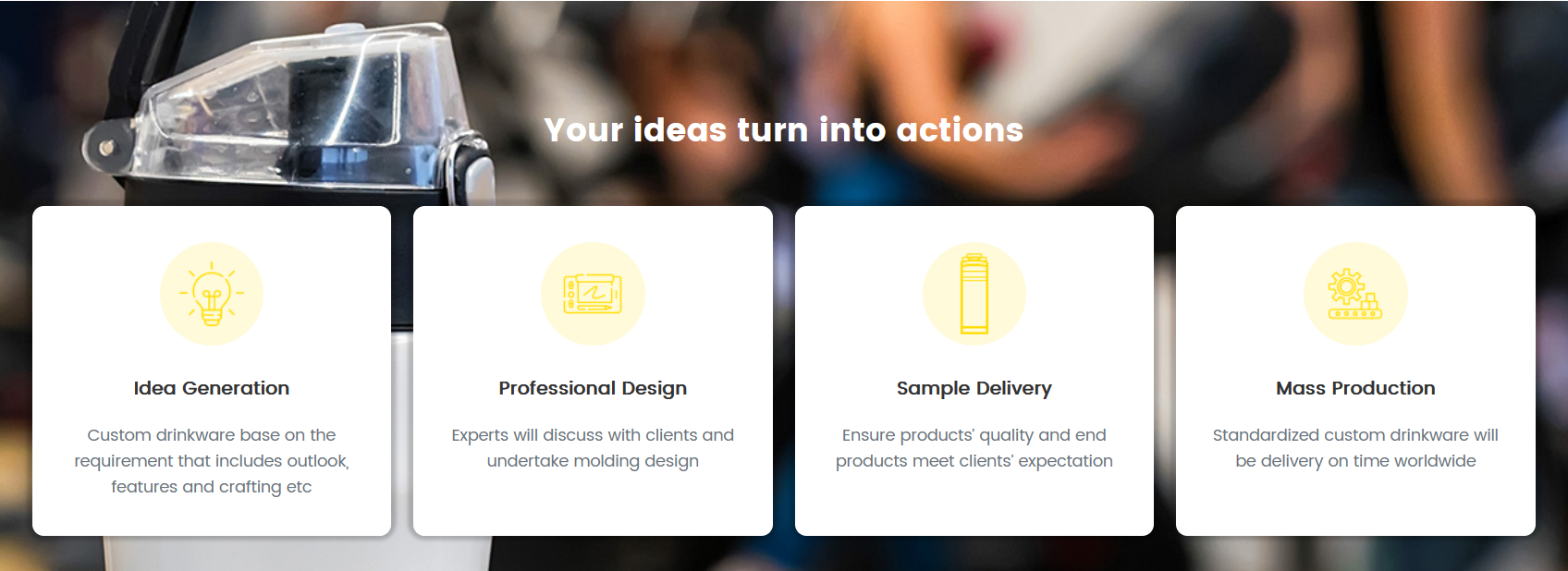
上图是最终呈现的效果。
可以看到第一列的文本是三行,第二三四列是两行,外框没有固定高度,默认情况下他们的第一个块的高度是比后面几个要高的。但不平不整齐就不美观。
并排的列表内容高度不一致,如何在高度不固定的情况下,做到背景高度统一呢。
还是用css,父级元素用 align-content: stretch !important;这个属性。
这里是用bootstrap框架来写的。所以css我是这样写的。
#icsec .col-12{ position:relative;}
#icsec .col-12:after{ content:""; position:absolute; top:0; right:0.6rem; left:0.6rem; bottom:0; background:#fff; z-index:0;border-radius:10px; box-shadow:0 -1px 3px 5px rgba(0,0,0,0.2);}
/* 下面是内容的样式,关键是上面的两句 */
.custom-box-icon{ padding:10% 8% 5% 8%;  text-align:center; position:relative; z-index:1}
.custom-box-icon .cuicon{ display:inline-block; width:90px; height:90px; background:rgba(254,220,9,0.15); position:relative; border-radius:50%; margin-bottom:7%}
.custom-box-icon .cuicon img{ position:absolute; top:50%; left:50%; transform:translate(-50%,-50%)}
html代码是这样
<div id="icsec" class="row gx-4 align-content-stretch">

    <div class="col-12 col-md-6 col-lg-3">
    	<div class="custom-box-icon">
        	<span class="cuicon"><img src="images/yellowico01.png" width="80" height="80"></span>
            <p class="fs-6"><strong>Idea Generation</strong></p>
            <p class="text-muted">Custom drinkware base on the requirement that includes outlook, features and crafting etc</p>
        </div>
    </div>

    <div class="col-12 col-md-6 col-lg-3">
    	<div class="custom-box-icon">
        	<span class="cuicon"><img src="images/yellowico02.png" width="80" height="80"></span>
            <p class="fs-6"><strong>Professional Design</strong></p>
            <p class="text-muted">Experts will discuss with clients and undertake molding design</p>
        </div>
    </div>

    <div class="col-12 col-md-6 col-lg-3">
    	<div class="custom-box-icon">
        	<span class="cuicon"><img src="images/yellowico03.png" width="80" height="80"></span>
            <p class="fs-6"><strong>Sample Delivery</strong></p>
            <p class="text-muted"> Ensure products’ quality and end products meet clients’ expectation</p>
        </div>
    </div>

    <div class="col-12 col-md-6 col-lg-3">
    	<div class="custom-box-icon">
        	<span class="cuicon"><img src="images/yellowico04.png" width="80" height="80"></span>
            <p class="fs-6"><strong>Mass Production</strong></p>
            <p class="text-muted">Standardized custom drinkware will be delivery on time worldwide</p>
        </div>
    </div>

 </div>
父级元素用了这个class:align-content-stretch。
背景框用了一个伪类after来写,让它z-index属性低于主要内容就ok了。